Managing Your Circuits
Learn how to organize and manage your quantum circuits in LeafSheep QVU.
Circuit Properties
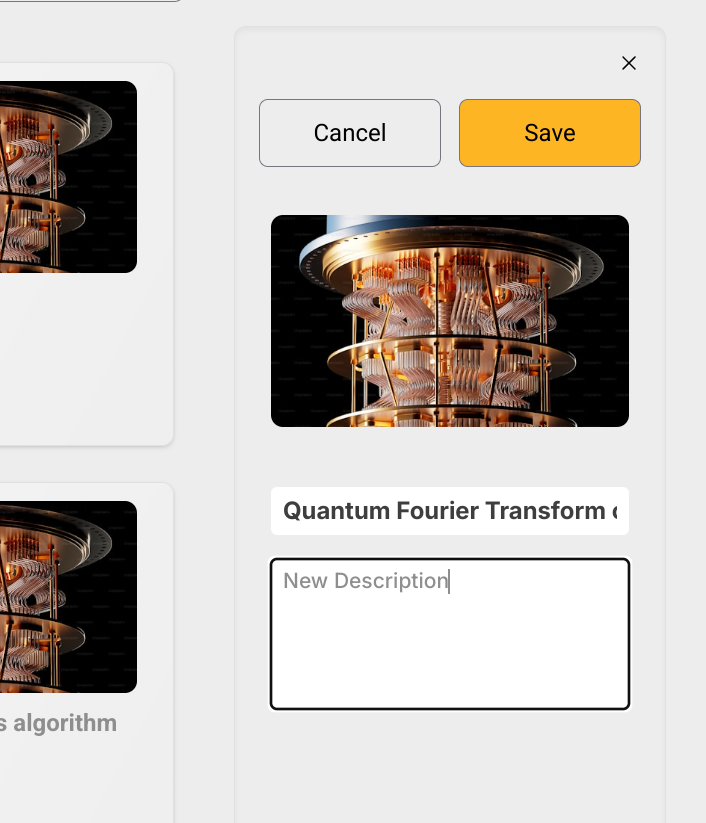
Editing Circuit Name and Description
- On the dashboard, click on the circuit to select it, a panel will appear on the right.
- Click on the circuit's name or description on the right panel to edit them.
- Type the new name or a new description.
- Press Enter or click Save to save the changes.
tip
You can also cancel the edit by clicking the Cancel button or by pressing Esc.
Inside the Editor
- Save: Ctrl+S (Cmd+S on Mac) to save changes
- Auto-save: Changes are saved automatically every 30 seconds
- Rename: Click the circuit name in the top right to rename it.
Template Copies
When working with templates:
- Save or run to create your copy
- Original template remains unchanged
- Your copy appears in "My Circuits"
Removing a Circuit
- Click on the circuit card to select it.
- Click on the remove button on the right panel to remove it.
Next Steps
- Learn about using templates
- Try running simulations
- Check out example circuits