Using Template Circuits
Template circuits provide pre-built examples to help you learn quantum computing concepts and common algorithms.
Using Templates
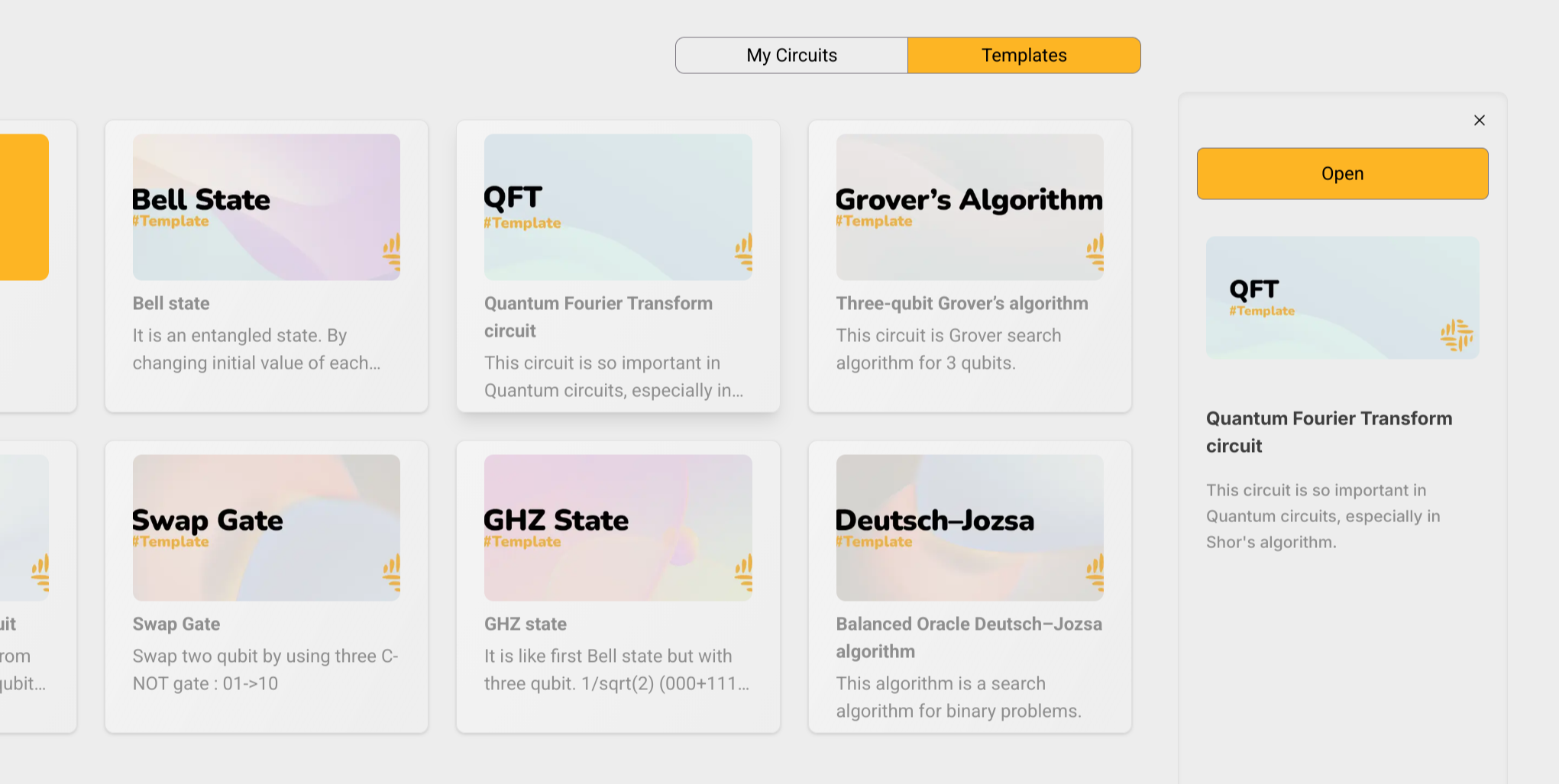
Opening a Template
- From your dashboard, click on the "Templates" section
- Browse available template circuits
- Click on any template to select it
- Click "Open" on the right panel to open the template in the editor
Making Your Own Copy
Templates are read-only by default. To create your own editable copy:
- Press Ctrl+S (Cmd+S on Mac) to save as a new circuit, or
- Click "RUN" to simulate the circuit (this automatically creates a copy)
Your copy will appear in "My Circuits" on the dashboard.
Modifying Your Copy
After creating a copy, you can:
- Add or remove qubits
- Modify gate parameters
- Change measurements
- Save changes anytime
tip
Start with the Quantum Fourier Transform template to learn about phase estimation and quantum transformations.
Next Steps
After creating a copy:
- Try running the circuit to see how it works
- Experiment with different parameters
- Check out the Circuit Editor Guide for editing tips
- See Running Simulations for measurement analysis